Going Up Quickly

Untitled

Time-saving Bash Techniques

If you are a nerd and love hacking away at your UNIX-like machine’s command line, then chances are you know that things can get really repetitive very quickly. One of my pet peeves is changing-directory upwards towards the root directory by typing cd ../../ or some such command. Some people alias two dots to the cd command to go up one level, 3 dots to go up 3 levels, or whatever. To me this is clunky. I wanted something more flexible. So up was born. up is a Bash function that takes one argument: the number of directories you want to go up. If you do not specify an argument, up will take you up one directory.

So if you are at /this/really/deep/directory/looking/around, instead of typing lots of dots and slashes to get to /this/really/deep, just type up 3. Simple and Quick. Unless you are really, really deep, you’ll probably only ever have to type a maximum of 5 keystrokes to go up to any level, whereas with cd, you’ll have to type ../ as many times as levels you want to go up. That’s at least 6 (5 if you leave off the trailing slash) if you want to go up only one level. There’s some Big-O notation just waiting to happen from that scenario.

Check out the code:

Include that in your .bashrc.

Very simple, but not without its problems. If you use the cd - command to go to the last directory you were in, this will break that because it cds multiple times. A solution to that is to build a string with the corresponding number of ../ entries you want to go up, then passing that as an argument to cd. I am sure there are more problems, and if you want to contribute to the betterment of nerdkind by improving the function, please fork my gist and issue a pull-request.

Emmanuel

Help Find a Cure

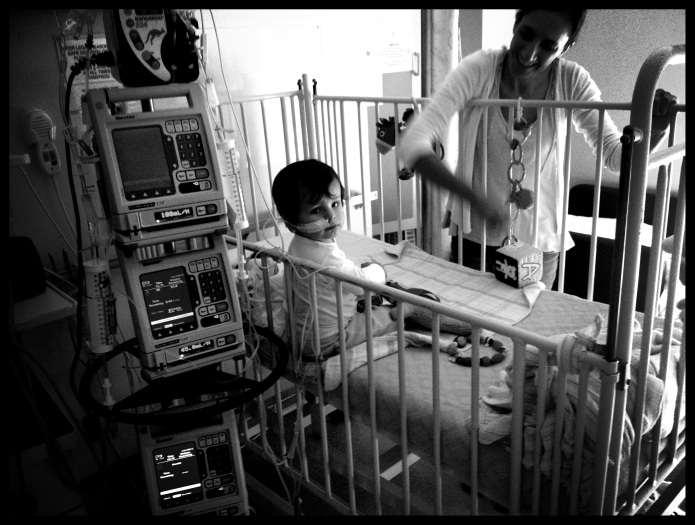
No-one is safe from cancer, not even children, even very young children. I am no expert with anything medical, but I know this for a fact.

My 1-year-old son Emmanuel has a form of liver cancer called Hepatoblastoma. Thankfully this type of cancer is highly curable and he has a good prognosis. So many others don’t however. We have met many people over the last month whose children are back in hospital with their second bout of cancer. One of them was first diagnosed with cancer when he was 16 days old; he is now only 7 months and the cancer has returned. My heart goes out to all of them, and they inspire me, who are facing their difficulties with tremendous strength and courage.

We count ourselves as lucky that we are in such a good hospital, and that our country’s health care system means that we don’t have to pay for treatment. We have a huge support network consisting of friends, family, and people we don’t even know. We are lucky because Manny’s cancer is curable. We are most lucky because we have such a gorgeous little boy. Manny has been so good through the intrusiveness of all the tests before being diagnosed, and now through all his treatment. He is a little champion, and is an inspiration.

The Cancer Council holds an annual event: Relay for Life, a 24 hour fundraising walking event. I am taking part this year and need donations! You can do so by visiting my fundraising page and then clicking “Sponsor Me”. Anything is highly appreciated.

I’d love to hear from you especially if your child has had Hepatblastoma, or if you had it when you were younger.

20130302-172842.jpg

Press All the Things…

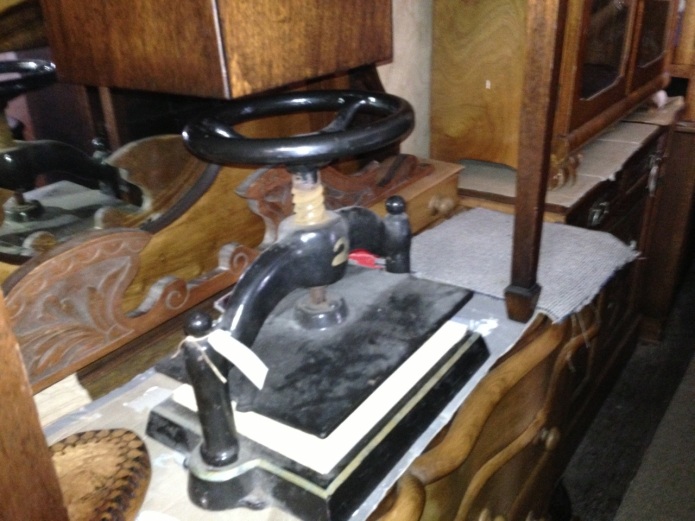
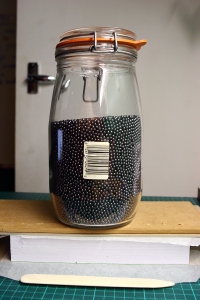
So I finally managed to get my hands onto a nipping press. It is a lovely little cast iron baby, with a turn-wheel instead of a handle. It’s in pretty good nick: the paint is peeling in a couple of places and the screw is a bit rusty (luckily it only looks like surface rust).

You may remember that I was planning to make my own nipping press from wood. Well, that’s not going to happen any more is it? It’s probably a blessing in disguise so I’m not that worried about it. I may still build one and sell it. Would you be interested in buying a wooden nipping press? I have a few projects on at the moment, so one less is no worries.

I’ll post some more pictures once I’ve cleaned it up a bit.

Happy bookbinding!

All My Dotfiles Are Belong To You

Under a Blood Red Moon

As I mentioned in my last post, I am a bit of a computer nerd. The last couple of months have seen my head buried in my Mac’s Terminal tapping out and learning old-style commands: grep this, ack that, and vim you. I say old-style but the computer terminal is still as current and as useful as it was back in the ’60s and ’70s when it was the only way to access computing power. Technically, Terminal (and other software like it) is not a real terminal, it is a piece of software emulating—or pretending to be—a terminal. There is even a terminal emulator available (for a fee) that looks just like an actual vintage computer screen—complete with flickering, fuzzy letters, and curved edges—called Cathode. It is visually spectacular, but a little OTT for me.

Sharing is Caring

I recently decided to join the growing community of dotfilers on GitHub, a web frontend for using git, a distributed version control system (VCS). VCSs are used where it is handy to keep track of files in a project as they change. At various intervals one commits changes made to the project into the local repository. This way, one has a record of all the changes made to a file over the length of time the project is worked on.

Using GitHub and git is a great way of sharing stuff, giving back to the community—it is a social coding site. It is also a great way of sharing stuff between one’s own machines, a bit like Dropbox but more nerdy. This makes it ideal to keep something like your dotfiles. All you have to do is upload (or push in git-speak) on one machine, and then download (or clone) your files on another. Et voila! You have your familiar environment set up and ready to go. What’s really great is that one can make changes on this other machine, push the changes to GitHub, and grab them on the original machine. Cool.

But What Are Dotfiles?

On a UNIX-like OS (think all the Linuxes, Mac OS X, and more I don’t know), dotfiles are simply files whose name starts with a dot, otherwise known as a full stop, or period. They are usually not displayed in a directory listing, or in file browsers like OS X’s Finder. Prepending a dot to a file’s name is a way of hiding that file from a basic directory listing.

They are use mainly for storing application settings and configuration data, or for data that shouldn’t be as easily accessible as a plain file. Some common dot-files are the so-called RC files, named after runcom files, of which .vimrc and .bash_profile (.bashrc on Linux etc.) are a few examples.

All My Dotfiles…

So anyhow, all that was just to say that I have my dotfiles on GitHub. I don’t expect that to make much if a difference to most of you, but you never know. I hope it does. Merry Christmas.

Adhesive Binding is Perfect

It’s Been a While

So this is the post where I apologise to all my readers for not posting for so long: sorry! I have a good excuse—he is 6 months old soon. I have had a busy time at work, and have been engaged in other creative pursuits, bookbinding being just one of many creative things I love to do.

Believe it or not I love writing computer programs. I just love it. I started off at Uni teaching myself C++, I learnt Pascal, HTML, JavaScript, did some Prolog, and a whole lot of Windows API programming and ASP with VBScript. I can get myself into trouble with a bit of ConTeXt, SQLPHP, and CSS. Now I code in C#, and I am learning Objective-C and Cocoa, Regular Expressions, and I am becoming a Bash nerd.

Anyway, I don’t want to freak you out or anything.

Pictures are Worth Heaps of Words

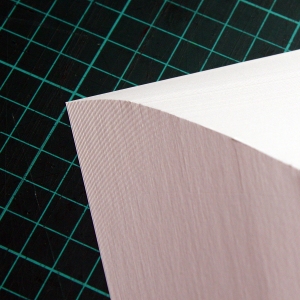
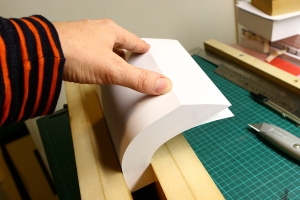
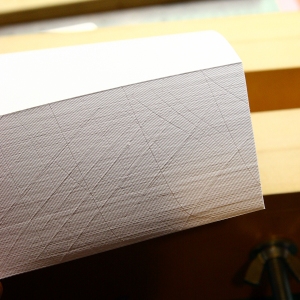
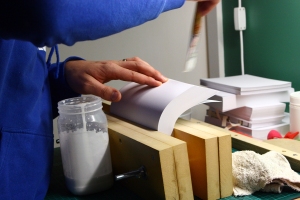
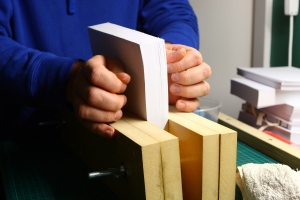
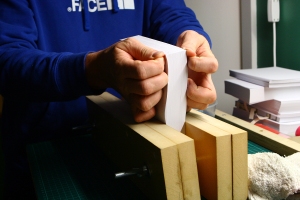
I thought that it would be an excellent idea to not type another word, and just let my pictures do the talking. So here is an image gallery of the steps involved in adhesive binding.

On the Shortness of Life

It is not that we have a short space of time, but that we waste much of it. Life is long enough, and has been given in sufficiently generous measure to allow the accomplishment of the very greatest things if the whole of it is well invested.
—Lucius Annaeus Seneca, translated by John W. Basore.